


Show multiple cards
Organize related options into a horizontal supported carousel experience.

Build supported carousel templates with multiple cards, configure media and actions, and map customer-specific values when using the template in campaigns or automation.
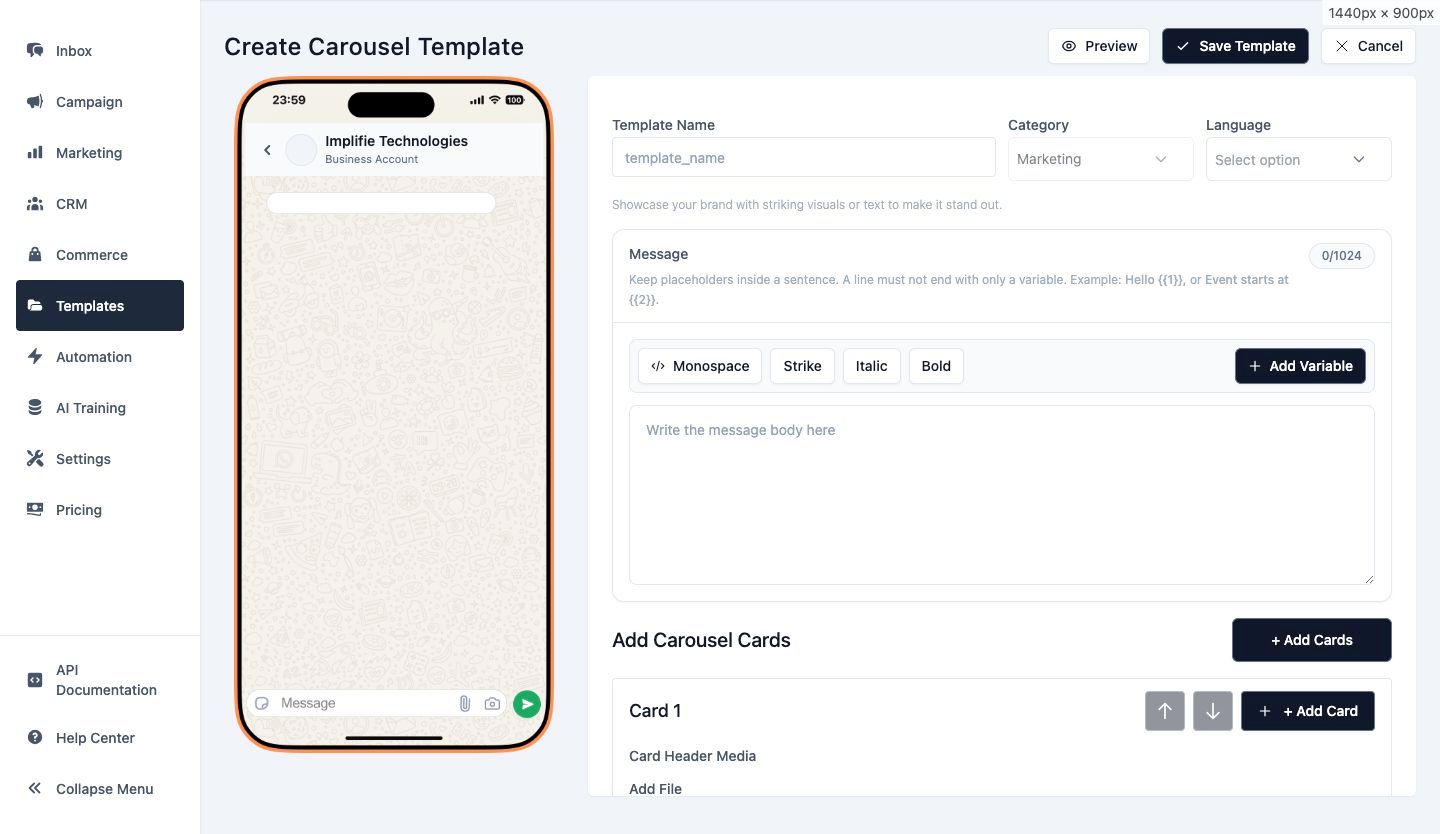
Carousel messages can present related products, services or actions without sending a long series of separate messages.
Organize related options into a horizontal supported carousel experience.
Configure supported card media, body content and buttons.
Map eligible carousel placeholders from contact data or use reviewed static values.
Create the carousel structure, add the supported number of cards and configure each card's media, text and actions according to current WhatsApp template requirements.
Keep card structure and content consistent enough to create a coherent customer experience.
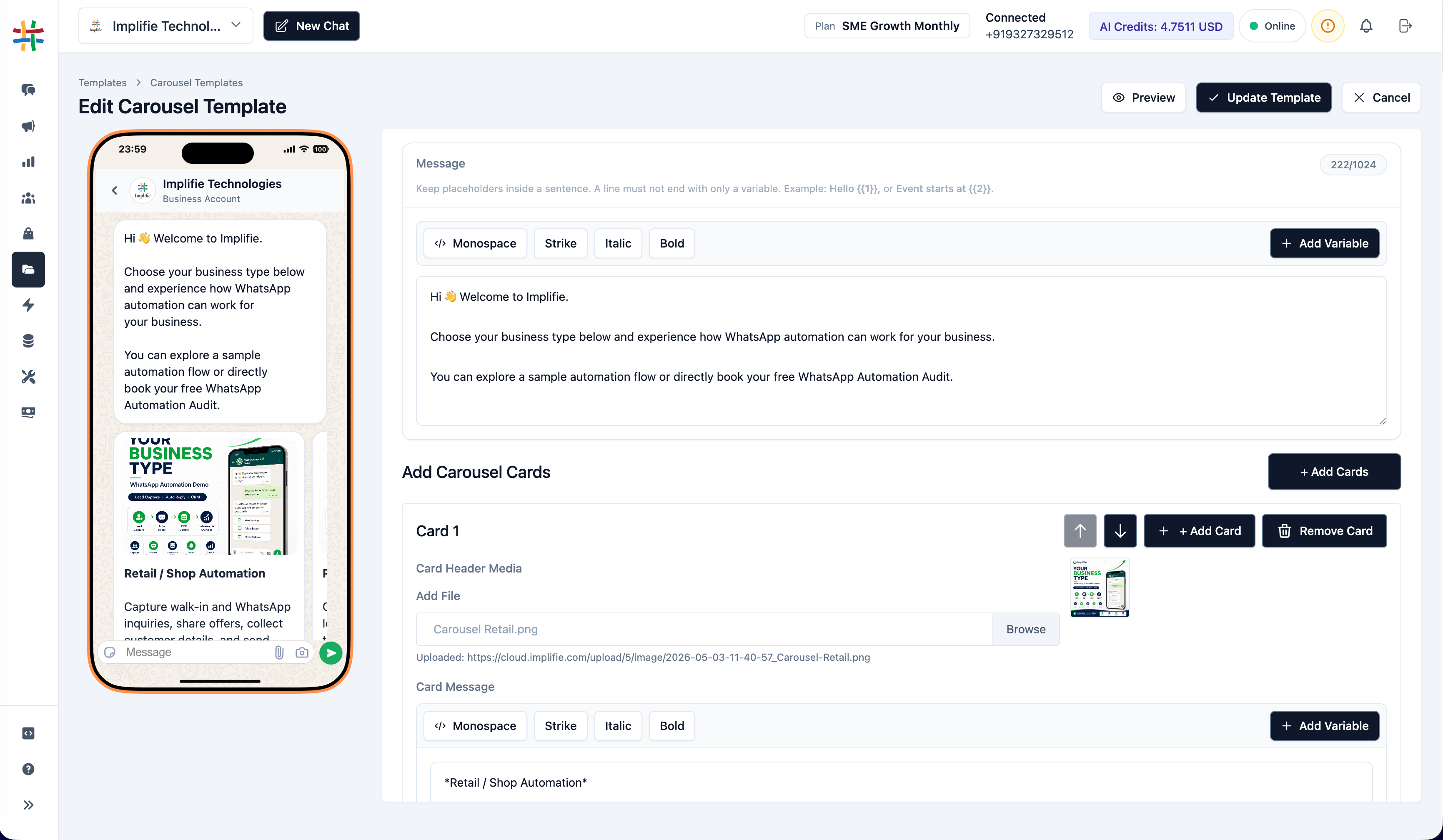
When selecting an approved carousel template in a broadcast or sequence step, map supported card media and body placeholders to contact fields or reviewed static values.
Validate every required card value before the campaign is submitted.
Start a carousel template from the current template workspace.
Add supported media, text, variables and actions to the required cards.
Complete the normal WhatsApp template submission and approval process.
Select the approved template in a campaign or workflow and validate all required card values.
Present a focused set of products with individual card actions.
Explain several related service options without one oversized message.
Share selected listings with media and enquiry actions.
Present relevant packages, departures or experiences in a structured format.
Show sessions, ticket options or featured experiences.
Compare courses or programmes with a clear next action on each card.
It is a supported WhatsApp template format containing multiple horizontally browsable cards with configured media, text and actions.
No. Create the dedicated supported carousel format and follow the current WhatsApp template structure and approval requirements.
Supported card placeholders and media can use eligible mapped contact fields or reviewed static values in the campaign workflow.
Approved eligible carousel templates can be selected in supported sequence steps with the required card mapping.
Yes. Carousel templates follow the normal WhatsApp template submission and approval process before business-initiated use.
Connect conversations, customer context, campaigns and automation from the same workspace.
Build, approve and map multi-card messages from the same template and campaign workspace.